Ignite Your Visuals: Mastering Fire Particle Overlays
In the realm of digital design and content creation, static images often struggle to capture the fleeting energy of real-world elements. We spend hours perfecting lighting and composition, yet sometimes the final result lacks that visceral "spark." This is where the power of high-quality design assets comes into play. Specifically, Fire Particle Overlay Textures offer a specialized solution for creatives who need to inject life, motion, and intensity into their work without the complexity of 3D rendering or physical pyrotechnics.
The Anatomy of High-Quality Overlays
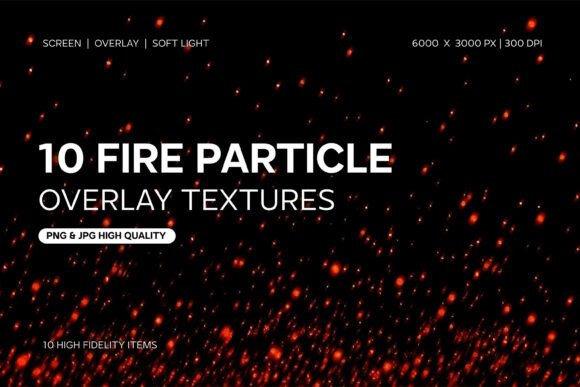
Understanding the technical specifications of these textures is crucial for professional application. A common mistake among beginners is using low-resolution assets that pixelate when scaled up for editorial design or large-format printing. The Fire Particle Overlay Textures set addresses this by providing a robust resolution of 6000 × 3000 pixels at 300 DPI. This ensures that whether you are working on a massive billboard or a detailed packaging design, the individual embers and sparks remain crisp and distinct.
The set includes 10 unique variations in both JPG and PNG formats. The significance of the PNG format here cannot be overstated; it preserves the intricate details of the particles against the black background, which is essential for the "Screen" blending mode technique. These aren't just generic blobs of light; they are realistic simulations of burning embers, flying sparks, and glowing ash. The visual personality of these textures is inherently chaotic yet beautiful, characterized by a warm, high-contrast palette that ranges from deep oranges to bright whites.
Strategic Applications in Branding and Marketing
While it is easy to view these textures as merely decorative, a seasoned brand strategist understands their psychological impact. Fire is a primal element associated with passion, energy, transformation, and warmth. When used judiciously, Fire Particle Overlay Textures can significantly influence brand perception.
Consider a fitness brand launching a new high-intensity interval training program. By overlaying these particles onto action shots of athletes, the marketing team creates an immediate visual metaphor for "burning" calories and explosive energy. Similarly, in the music industry, particularly for rock, metal, or electronic genres, these textures are a staple for creating gritty, immersive album art and social media teasers. They help establish a mood that text and flat colors simply cannot achieve on their own.
Enhancing Digital Presence and Social Media Graphics
In the fast-paced environment of social media, stopping the scroll is the primary objective. Fire Particle Overlay Textures are exceptionally effective for social media graphics because they add depth and complexity to otherwise flat compositions. A content creator can take a simple product photo—say, a spicy sauce bottle or a piece of jewelry—and layer these particles to create a "hero" shot that demands attention.
For motion graphics and video content, the utility is even greater. When these textures are animated—perhaps slowly drifting upward or flickering—they add a layer of cinematic polish to video intros, lower thirds, or transition effects. This elevates the production value of YouTube videos, TikToks, or corporate presentations, making the creator appear more established and professional.
Technical Execution: Blending Modes and Workflow
The true magic of these assets lies in their versatility across major graphic design and editing software like Adobe Photoshop, Lightroom, Affinity Photo, or even mobile editing apps. The black background of the textures is not a flaw; it is a functional feature designed to facilitate blending.
To achieve the best results, users should focus on two specific blend modes:
- Screen: This mode is the go-to for overlays. It removes the black pixels entirely, leaving only the bright fire particles visible against your underlying image. It creates a realistic, luminous effect where the fire looks like it is actually part of the scene.
- Soft Light: For a more subtle approach, Soft Light blends the particles with the underlying tones of your photo. This is excellent for adding a warm color cast or a gentle atmospheric haze rather than distinct flying sparks.
One practical recommendation for maintaining visual hierarchy is to use masking. Rather than blanketing an entire image in fire, use a layer mask to confine the particles to specific areas—perhaps around the subject or along the edges of a graphic element. This prevents the design from becoming cluttered and ensures the focus remains on your core message.
Evaluating Fit and Commercial Licensing
Before integrating any design assets into a project, evaluating the fit is essential. These Fire Particle Overlay Textures are best suited for projects aiming for a dramatic, intense, or energetic aesthetic. They might clash with minimalist, "clean" corporate designs that rely on negative space and cool tones. However, for creative font pairings, they work exceptionally well with bold display fonts or distressed typefaces, reinforcing the rugged, high-energy vibe.
For entrepreneurs and small business owners, understanding the licensing is just as important as the visual appeal. Always verify that the license permits commercial use, especially if the final product is a physical item like a t-shirt or a printed poster sold for profit. High-quality assets usually come with clear terms that allow for broad application, ensuring your brand identity assets are safe from copyright issues.
Ultimately, Fire Particle Overlay Textures are more than just filters; they are tools for storytelling. They allow designers, photographers, and marketers to manipulate reality, adding elements of danger, warmth, or excitement that resonate deeply with human psychology. By mastering the technical application and strategic placement of these overlays, you can transform standard visuals into compelling narratives that captivate your audience.